
Let's get started!
- Download the ChainIT ID App
- Visit your device's app store (Google Play or Apple App Store) and download the ChainIT ID app.
- Launch the app and click on the Sign Up button.
-
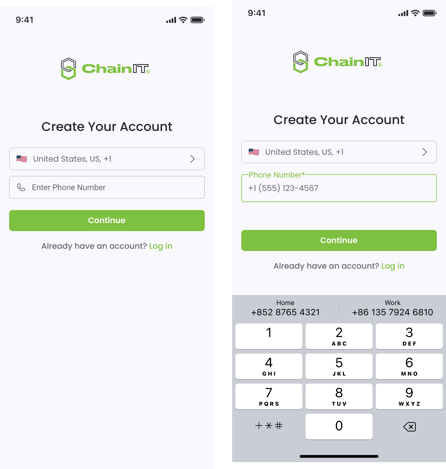
Enter Your Phone Number
- Sign Up with Phone Number: Enter your phone number and enter the one-time passcode to create an account.
- Privacy Policy & Terms: Read and agree to the Privacy Policy and Terms & Conditions to proceed.
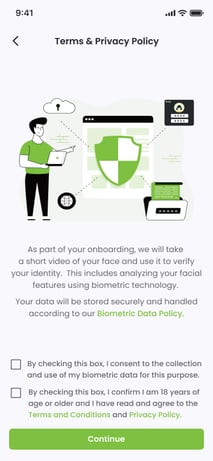
- Sign Up with Phone Number: Enter your phone number and enter the one-time passcode to create an account.
- Identity Verification
- Biometric Face Scan: Follow the prompt to take a selfie for identity verification.
- Note: Liveness checks ensure all users are real, not bots or deepfakes
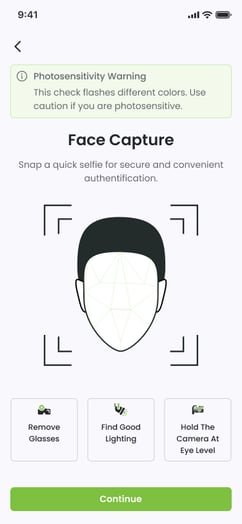

- Note: Liveness checks ensure all users are real, not bots or deepfakes
- ID or Passport: Scan the front and back of your government-issued photo ID or passport.
- Note: Your ID is uploaded for verification, but it is not shared with any outside parties.
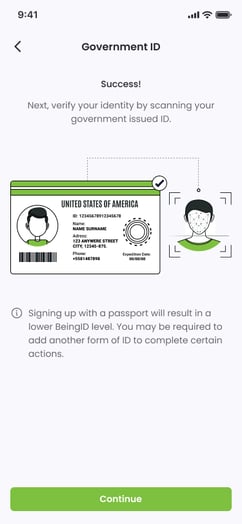
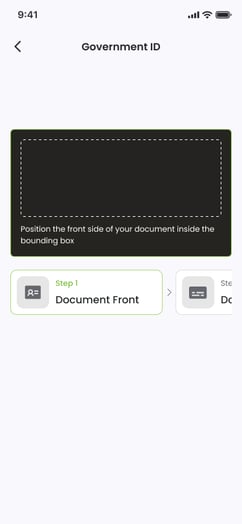
- Note: Your ID is uploaded for verification, but it is not shared with any outside parties.
- Biometric Face Scan: Follow the prompt to take a selfie for identity verification.
- Payment
- To complete the signup, select a payment method:
- Promo Code: If you have a promo code, enter it here.
- Credit Card: Enter your credit card information.
- To complete the signup, select a payment method:
- Email Address (Optional)
- When prompted, enter your email address.
- Verify the email by entering the one-time passcode you receive.
-
For KYC/KYB Users or Employees - Check Your Tasks
-
If you've been invited to onboard as an employee or part of KYC or KYB compliance, you may have tasks assigned. On the home screen, check the My Tasks section.
-
Tasks may include:
-
Additional verifications
-
Forms to complete
-
Documents to sign
-
-
Complete all outstanding items to finish the onboarding process.
-
- Congratulations!
- Your digital identity has been created and is stored in your digital wallet.
- Now you can use your ChainIT ID to access services and events, and share what you want with who you want - without exposing your personal information.
- If you encounter any issues or need further assistance, our support team is always here to help. Welcome to the ChainIT community!